New Clients
STEP 1: Visit trips4Africa.com & click on sign up or go directly to membership levels by clicking here
STEP 2: Choose a membership level & click select
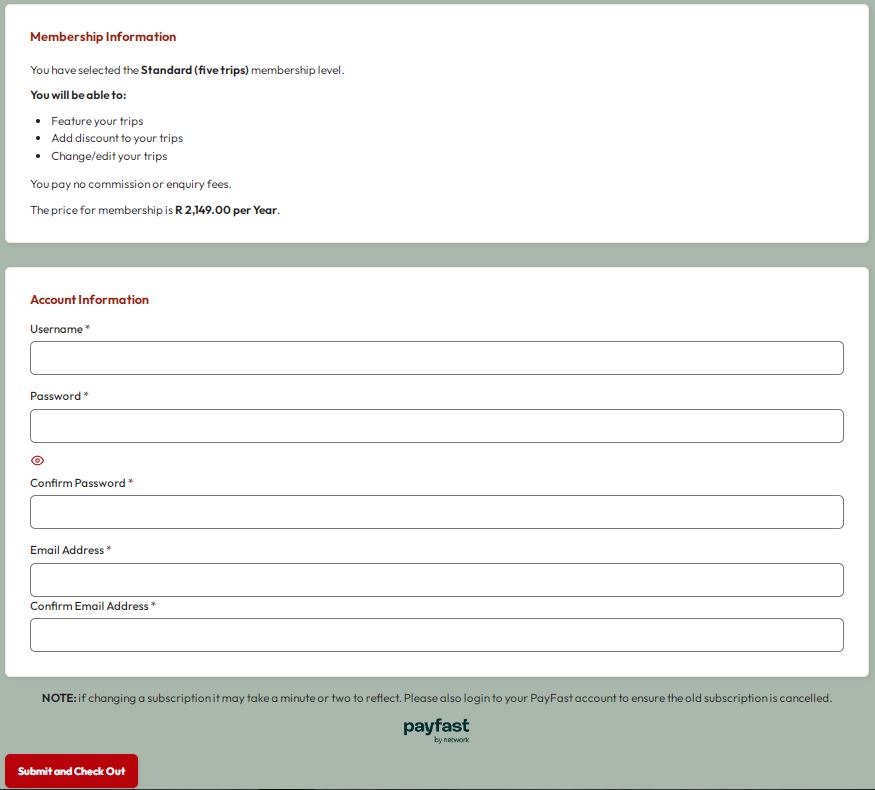
STEP 3: Register by filling out the Account information form
STEP 4: Click on Submit & Checkout button
STEP 5: Make payment using our secure online payment platform
STEP 6: You will receive an email with your username & password
STEP 7: Visit trips4Africa.com and click on Login
STEP 8: Click on Add new listing
STEP 9: Complete the form & click on Add Listing button
Existing Clients
STEP 1: Visit trips4Africa.com and click on Login
STEP 2: Click on Add new listing
STEP 3: Complete the form & click on Add Listing button
*****
For any assistance, email support@trips4Africa.com